
Visitor Management System
Every visit, from appointment to exit.
A web application for front desks and administrators: visitor appointments by status, material moving in and out, access cards and reports, on one dashboard.
- Type
- Sharpflux product
- Platform
- Web application
- Users
- Front desk, security and administrators
- Sharpflux role
- Product design, engineering and maintenance
Overview
What it is
The Visitor Management System is a Sharpflux workplace product. It replaces the paper visitor book with a digital record of every appointment, and tracks the material and access cards that move with visitors.
The business problem
Paper registers are slow at the front desk and hard to search afterwards. When someone needs to know who visited, what they brought in or which cards are still out, the answer should take seconds, not an afternoon.
Sharpflux’s role
Sharpflux designs, builds and maintains the product.
- Product and workflow design
- Web application engineering
- Ongoing maintenance and improvement
Solution and approach
One appointment, followed through every state.
Each visit moves through clear states, so the dashboard always shows what is happening at the premises right now.
Pending
The appointment is requested and waiting.
Today
Scheduled for today.
Ongoing
The visitor is on the premises.
Completed
The visit is closed and kept on record.
Key features
What it does
Areas in the current product.
Appointments
- Appointments today
- Pending, ongoing and completed appointments
Material and access
- Material in and material out
Track items brought onto and taken off the premises.
- Active and inactive access cards
Administration
- Administration area
- Reports
Screenshots
Screens from the real software

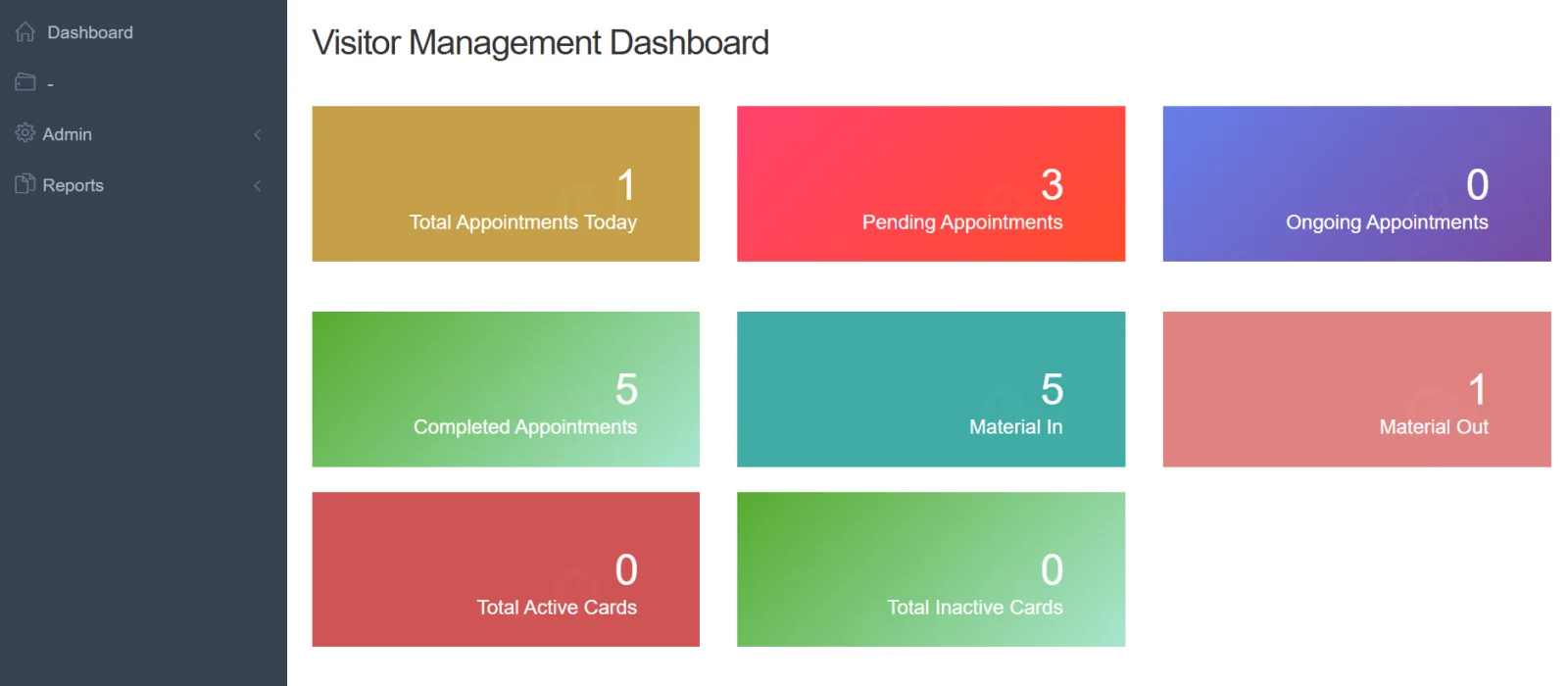
Product screenshot: visitor management dashboard.
FAQs
Frequently asked questions
What does the dashboard show?
Appointments for today and those pending, ongoing and completed, material in and out, and active and inactive access cards.
Does it support ID checks or printed badges?
Tell us how your front desk works and we will confirm what the product covers during a demo.